
 Apple Music Profile
 YouTube Channel
 RSS Feed
 Play Play
 Murph
Murph Yer Stack
 Block Party Weekend
 30 Most Recent RSS Feed
Popular Now
downloaded <1m
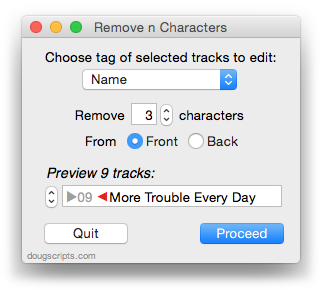
Remove n Characters From Front or Back v5.10
For iTunes Delete characters from the beginning or ending of selected tracks' name, artist, album, comments, composer, or show tags
downloaded <1m
For Music Export track info of selected playlist as CSV file
downloaded <1m
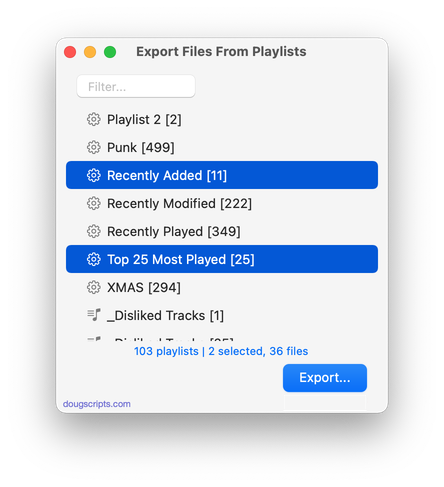
Export Files From Playlists v3.5
For Music Export files of tracks in two or more playlists to single folder
downloaded 55m 28s ago
For Music Apply extant image metadata from tracks' files as track artwork
downloaded 4h 14m 37s ago
For Music Exports and then re-imports selected tracks' artwork
downloaded 4h 54m 4s ago
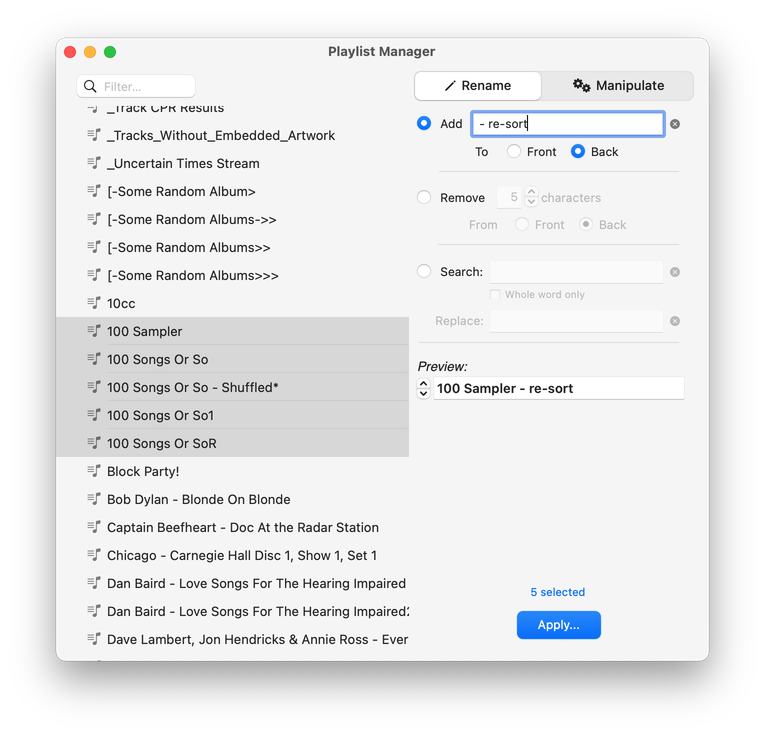
For Music Perform tasks on a batch of playlists; rename, delete, duplicate, merge, more
Welcome!
Download hundreds (634 and counting) of AppleScripts for Apple's Media Apps that will help make managing your digital music and video collection easier and more fun!
What's AppleScript?
AppleScript is a simple Macintosh-only programming language that can control and automate actions on your Mac. AppleScript is already available on your computer as part of the macOS and many popular applications can be automated using AppleScript scripts. Scripts written for Apple's Music, TV and iTunes apps can manage files and track information, create playlists, interact with other applications, perform innovative tasks, and handle many kinds of chores with accuracy and precision which otherwise would be repetitive, laborious, and/or time-consuming.
Cool! Where Do I Start?
Start browsing the site by using the scripts ↓ Menu link above. AppleScripts are gathered into these general Categories:
- Managing Tracks
- Managing Track Info
- Managing Artwork
- Managing Playlists
- Controlling iTunes
- Exporting Info
- Managing Files
- Networking
- Internet
- iPod (iPhone/iPad)
- Miscellaneous
- With Other Apps
Or use the search box at the top of every page to try and find something specific.
Not sure how to install AppleScripts? Here's a Download/Installation FAQ.
Check back often or subscribe to my RSS blog feed and Most Recent Scripts RSS feed to stay notified about new and updated scripts and info.
Latest:
RSS ROOLZ! SUBSCRIBE!
UPDATED: Playlist XML Librarian v1.3
This applet will list the exported Playlist XML files collected in a specified folder with options to view, edit, search and send (import) them to the Music app. Makes it easy to maintain an organized stockpile of exported Playlist XMLs to reduce the number of onboard Music playlists.
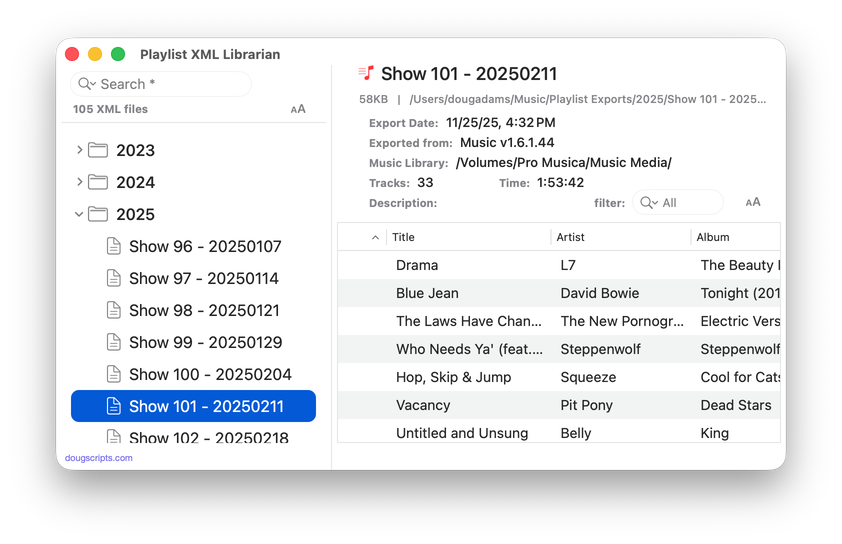
Latest version:
- UI adjustments and detailing; minimal Liquid Glass added
- Accepts Open'd and drag-and-dropped Playlist XMLs
- Description field displays popover for longer text
- Table displays Normalization value if present
- Adds "Send to Music app" and "Reveal Default Folder" buttons in main window
- Adds File and Remote Track Type counts to header display
- Handles :00.0 length URL entries properly
- Fixed issue with Filter
Frankly, I would rarely export a playlist as an XML file because traveling to the command to do it—buried in the Music app's File menu—always seemed like a long arduous journey for my mouse. That all changed when I assigned the keyboard shortcut Command-E to the File -> Library -> Export Playlist... menu command. Then I couldn't stop exporting playlists.
(more…)
The Bathroom Music Server
I've mentioned my Bathroom Music Server on The Next Track Podcast and other places so I thought I'd tell a little about it.
First of all: you know how when you're at the market and you hear music playing over the speakers? You did not enter the market to hear music, but There It Is. Or when you're drivin' down the Mass Pike and you gotta make a pitstop just west of the Middle of Nowhere in Blandford and there's music playing in the lav'? You did not enter the lav' to hear music, but There It Is. Or when you go get a haircut at Tony's. You did not enter Tony's to hear non-stop Italian Opera, but There It Is.
(more…)
NEW: Block Party Weekend
We used to get a lot of beer ad money by staging "Double Shot Weekends" and bonus'ing the Beer Guys weekend sponsorships. As seemingly popular as "Double Shot Tuesdays" and Three-Fer Thursdays" may have been, normal listeners hate more than one song by an artist. Major tune-out. But the hardcore P1's, they love that stuff. Suckers. That's how we kept them listening over the weekend, which is not a great radio listening time period. And the Beer Guys owned the weekend. Everybody's happy.
Anyway. How'd you like a batch of two-fers for old times' sake?
Block Party Weekend is a stand-alone music player that can devise and play artist blocks of various size and criteria.
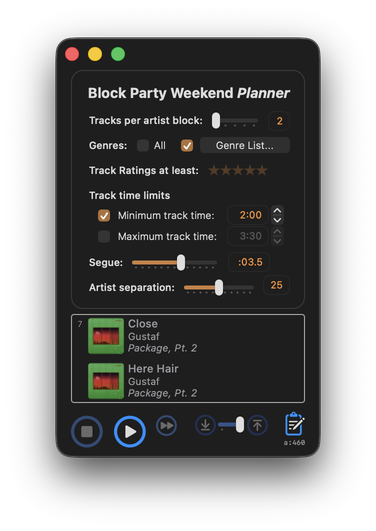
If you have enough variety in your music library, Block Party Weekend will likely play continuously for longer than any weekend.
Block Party Weekend is fully-featured donationware for macOS 26/Tahoe and later only.
Some Players
Realized a couple of days ago that I completely missed the twenty-fifth anniversary of this site, which was February 15th. It's in Calendar app and everything.
I have been a bit distracted lately. I recently discovered that it's remarkably easy (and barrels of fun) to use NSAudioPlayer in an AppleScript app. At least, the kind that I make. I anticipated threading issues and all that kinda thing. Works just great.
It has never seriously occurred to me to make a fully-fledged audio player. But now I feel like I've discovered model aeroplaning or something. Like that German designer in "Flight of the Phoenix". I don't build real big airplanes, just little ones that you fly in your driveway.
If you have an opportunity, try Play Play, Murph and/or Yer Stack.
Twenty-sixth anniversary will be comin' at you fast.
UPDATED: Playlist XML Viewer v2.0
Open (or drag-and-drop) and view the contents of a playlist XML file exported from the Music app in a conventional table layout. Includes options to play local files, send (import) the XML to the Music app, export a TXT, CSV or M3U version, copy info to clipboard and reveal existing files in the Finder. (Not for use with exported Library XML files.)
Also see Playlist XML Librarian which can manage a folder-full of exported Playist XML files.
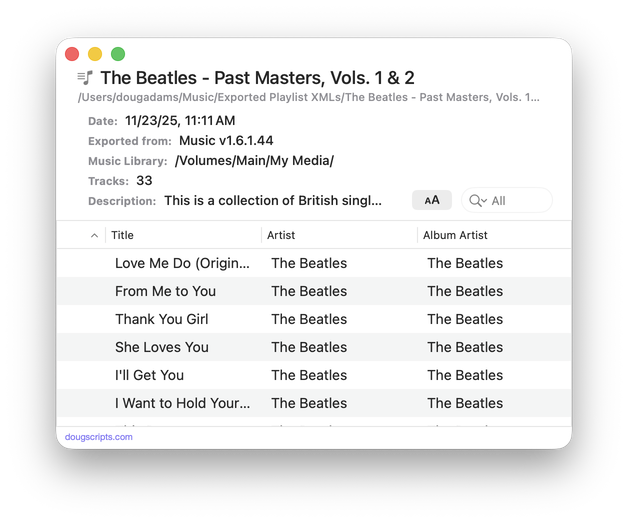
Latest version:
- Adds audio player features
- Adds Open Recent Items subfolder
More information for Playlist XML Viewer v2.0 and download link is here.
UPDATED: A Space Between v3.5
This stay-open applet will play each track in the selected playlist and will wait (you might say insert but that's technically incorrect) a user-set number of seconds between each. Play can commence at the "top" of the playlist or from a selected track and, optionally, in random track order.
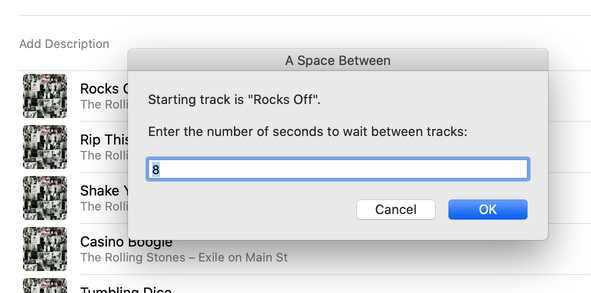
Latest version:
- Fixed problem presenting donation panel
- Minor UI updates
More information for A Space Between v3.5 and download link is here.
UPDATED: Side Splitter v3.0
Side Splitter will allow you to configure a selection of tracks (presumably the tracks of a single particular album, although any tracks will do) like the sides of an analog LP. The script will then have the Music app play each "side" one at a time, with a few seconds of space between each track and slightly more space between sides (to emulate the time it would take to flip the record over).
The playback experience is, surprisingly, kinda remarkable, if I do say so myself. (Meanwhile, apparently there's some new Apple Music feature that forces tracks to seg even closer.)
You can get the track order for an album if you Search Discogs or Search Wikipedia.
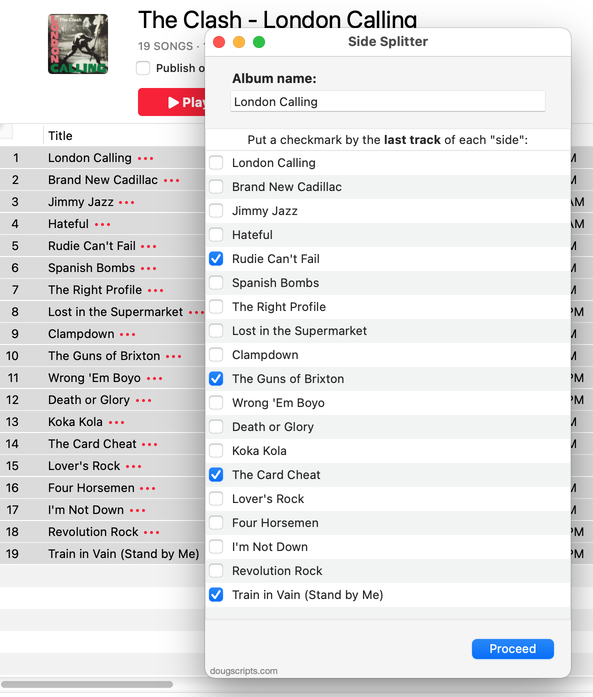
Latest version:
- Accommodations for macOS 26 Tahoe
- Redesigned UI and concept
More information for Side Splitter v3.0 and download link is here.
UPDATED: A Space Between v3.4
This stay-open applet will play each track in the selected playlist and will wait (you might say insert but that's technically incorrect) a user-set number of seconds between each. Play can commence at the "top" of the playlist or from a selected track.
Latest version:
- Redesigned settings panel
- Maintenance and performance fixes
- Accommodation for macOS 26 Tahoe
More information for A Space Between v3.4 and download link is here.
If Wishes Were Horses
You know where I'd like to be? Hanging out with the developers at Apple who work on NSAlert. Man, NSAlert is the most ut. OK, as you were.
UPDATED: Track CPR v5.0
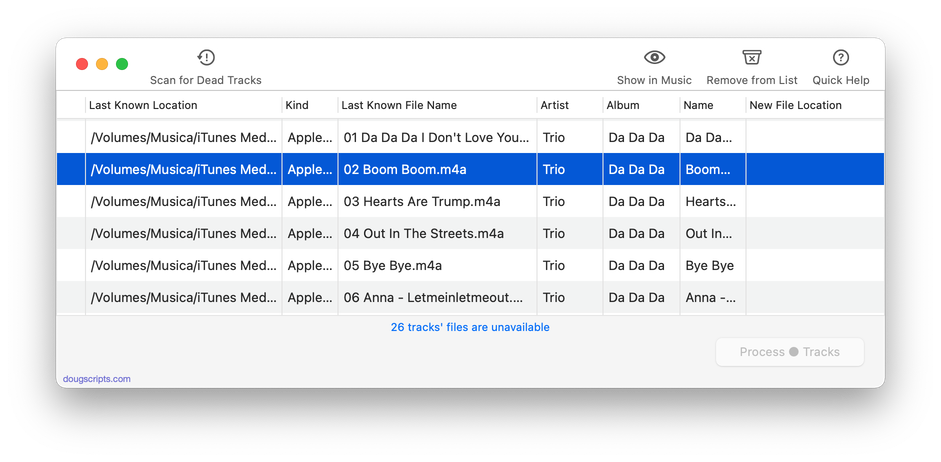
Man, this thing really needed some work done. Seems it takes some disaster to befall on me to find out about a script's inadequacies. As it happens, I accidently lost a few audio files and there were these dead tracks cluttering up the place. I knew I had the files, it was just a matter of applying some Track CPR.
Unfortunately, Track CPR couldn't help me out right then because it was trying to reassociate files by comparing Title, Artist and Album. But my replacement files all had "Remastered" tacked on to the Album name, which the original tracks did not. Thus, no matches.
So I fixed that. And then I fixed that other thing. And why not put this over here...and so on. Work better now.
Track CPR will assist with re-associating replacement files with dead tracks. The Music app can perform this task, too, but only one. track. at. a. time.
The process takes 3 steps:
- The script finds and lists the "dead" tracks in the Music library
- User drag-and-drops potential replacement files to the window; a viable replacement file is one whose Title and Artist metadata matches a dead track's
- Re-associate viable replacement files with their matched track entries
The Read Me contains additional important details and cautions.
Latest version:
- Accommodations for macOS 26 Tahoe
- Maintenance and performance fixes
More information for Track CPR v5.0 and download link is here.
