RSS Feedings
What's New...
30 Most Recent
dougscrptr
Site Menu
[ Home
[ What's New
[ 450 Scripts...
- ...by category:
- Managing Tracks
- Managing Track Info
- Managing Artwork
- Managing Playlists
- Controlling iTunes
- Exporting Info
- Managing Files
- Networking
- Internet
- iPod
- Miscellaneous
- With Other Apps
- Retro Scripts
- Script List
[ Download FAQ...
[ Forum at iLounge
[ Tumblr: dougscrptr
[ Twitter: DougScripts
[ my delicious
[ Uhm, Windows?
Shareware Apps
- Dupin v1.4.2
- Join Together v5.3.2
- iTunes Library Manager v5.2.1
Site Info
- Who's Doug?
5 Most Recent Downloads in
Controlling iTunes
Links point to a script's entry page...
- Needle Drop Play through each track in a playlist at your set interval
- Change Hidden iTunes Preferences Change the settings of hidden iTunes preferences
- Quick Convert Convert or import tracks with any encoder on the fly
- Audiobooker Assists with ripping tracks from audiobooks
- Stop Track! Use special track to stop iTunes, cue next track
10 Most Recently Added:
Links point to a script's entry page...
- UPDATED yesterday:
Gather Up the One-Hits v2.3 Copy iTunes "one-track wonders" to their own playlist - NEW yesterday:
All HD/SD to Playlist v1.0 Two scripts create discrete playlists of all HD or all SD videos - NEW 5 days ago:
Change Hidden iTunes Preferences v1.0 Change the settings of hidden iTunes preferences - UPDATED December 11, 2008:
Add from Amazon MP3 Folder v1.1 Add files from the Amazon MP3 downloads folder to iTunes - UPDATED December 11, 2008:
Add from eMusic Downloads Folder v1.1 Add files from the eMusic downloads folder to iTunes - UPDATED December 4, 2008:
Search Amazon UK MP3 v1.0 Search Amazon UK's MP3 website using terms from selected iTunes track - UPDATED December 3, 2008:
Reset Bookmarks to Start v2.0 Reset selected tracks' bookmark position to their Start Time - NEW December 3, 2008:
Reset Tracks Start-Stop v1.0 Batch-reset the Start and Stop Time of selected tracks to their entire duration - UPDATED October 6, 2008:
Quick Convert v2.9 Convert or import tracks with any encoder on the fly - UPDATED August 20, 2008:
New iPod Playlist From Selection v3.2 Copy selected tracks or playlist to a new iPod playlist - the 30 most recent...
30 Most Recent RSS Feed
Your donation allows me keep the site up-to-date, fun, and easy to use. Thanks!
Donations of any convenient size help defray my personal costs in keeping the site going. Making a contribution via Kagi or PayPal is easy, safe, and secure. Future visitors salute you!
Purchase Superb dougscripts.com Shirts & Mugs from CafePress

Purchasing recommended products from Amazon also supports the site!
Top 11 Downloads
Links point to a script's entry page...
[#] = total downloads
- Make Bookmarkable [134560]
- Super Remove Dead Tracks [118229]
- Find Album Artwork with Google [84684]
- Corral iTunes Dupes [72801]
- Import iPod Audio Files [66168]
- Tracks Without Artwork to Playlist [45840]
- CDDB Safari Kit [42672]
- Remove Duplicate Tracks From Playlist [33489]
- Corral All Dupes [31400]
- Set Video Kind of Selected [30000]
- Remove n Characters From Front or Back [28950]
- full list...
Other Sites' Favorites
lifehacker: Top 13 iTunes AppleScripts
Playlist: Top 10 iTunes AppleScripts
Macworld: iTunes' "hidden" features
10 Random Scripts
Links point to a script's entry page...
- Find Album Artwork with Google Perform a Google image search for album artwork
(Internet) - Export Artwork Save the display artwork of the selected track to a file
(Managing Artwork) - Import iPod Audio Files Select iPod tracks in iTunes and add them to iTunes
(iPod) - Delete iPod Playlist and Tracks Delete a selected playlist from iPod
(iPod) - Access Stream Address Get URL track's address and send to browser or clipboard
(Internet) - Rip CDs In A Row Rip successive CDs in a multi-drive set-up without interuption
(Controlling iTunes) - Playlist to HTML Create HTML doc of playlist tracks
(Exporting Info) - List Folder Files Not Added Creates a text file listing audio files in a Music folder not added to iTunes
(Managing Files) - iTunes2Manila Info of current track to Manila
(With Other Apps) - Super Remove Dead Tracks Remove missing (!) tracks from entire Library
(Managing Tracks)
Controlling iTunes 1 2 3 4 5
Hey! Because a script entry's location can change over time, the URL in the address bar of your browser should not be copied or bookmarked. To accurately bookmark or copy the URL of an entry, control-click or right-click on its title or permalink for this entry button and select an option from the pop-up.
Change Hidden iTunes Preferences v1.0
This application will allow you to invoke hidden iTunes preferences:
- Show "Library" playlist
- Show genre while browsing
- Allow half-stars in ratings
- Show arrow links -- to either search the iTunes Store or search your library
- Load complete iTunes Store preview before playing
- Play songs while importing or converting
- Create file names with track number
Indeed, there are other apps that do this, and here is yet another.
For iTunes 8 and above only.
- Info:
- build type: Application
- written by Doug Adams
- posted: January 2, 2009
- total downloads: 385
- zip download size: 203K
Add from Amazon MP3 Folder v1.1
The Amazon MP3 Downloader application has a preference to add downloaded purchases to iTunes. But I could never get it to work. Whatever. This script will display the Album folders in your designated "Amazon MP3" downloads folder so you can select which of them to add to iTunes. Optionally, if you allow iTunes to "Copy files to iTunes Music folder when adding to library", you can choose to move the original folder and files out of the "Amazon MP3" download folder and to the Trash. Saves a few keystrokes. (Also see Add from eMusic Downloads Folder.)
- Latest version:
- Runs as application to prevent early erroring out
- Info:
- build type: Universal Binary
- written by Doug Adams
- latest version posted: December 11, 2008
- latest version downloads: 115 | total downloads: 329
- zip download size: 181.9K
Add from eMusic Downloads Folder v1.1
This script will display the Album folders in your designated eMusic downloads folder so you can select which of them to add to iTunes. Optionally, if you allow iTunes to "Copy files to iTunes Music folder when adding to library", you can choose to move the original folder and files out of the eMusic download folder and to the Trash. Saves a few keystrokes. (Also see Add from Amazon MP3 Folder and its screenshot.)
For Best Results:
Go to the eMusic Download Manager's Preferences.
1) Set a discrete folder as your "eMusic Downloads" folder. Use this folder for eMusic downloads and nothing else.
2) Organize this folder into subfolders, checking the "Create artist subfolder" and "Create album subfolder" checkboxes.
- Latest version:
- Runs as application to prevent early erroring out
- Info:
- build type: Universal Binary
- written by Doug Adams
- latest version posted: December 11, 2008
- latest version downloads: 79 | total downloads: 236
- zip download size: 183.1K
Quick Convert v2.9 
Convert all or just the selected tracks of the selected Playlist using your choice of available iTunes encoders, restoring your Preferences-set encoder afterwards. Works with importing selected CD tracks, too.
Additionally, you can:
- copy all converted/imported tracks to a new playlist
- choose to remove and/or delete the original tracks and/or files
- if you have selected the AAC encoder you can choose to make the tracks "bookmarkable" and re-add the converted files to the Audiobooks library
- Latest version:
- fixes minor problem converting POSIX file in "bookmarkable" routine
- v2.8
- Compatible with iTunes 7.7.1
- GUI updates
- Accounts for DOS-formatted drives during M4B conversion
- v2.7
- Runs as universal binary
- Files converted to AAC with the bookmarkable option are re-added to "Audiobooks" Master Library correctly
- Info:
- build type: Universal Binary
- written by Doug Adams
- latest version posted: October 6, 2008
- latest version downloads: 1822 | total downloads: 22351
- zip download size: 125.2K
Update Expired Podcasts v2.0
iTunes will stop updating a podcast if you have not listened to at least one of its episodes in five days. This script will batch-update every podcast, rather than having to manually update each one individually.
- Latest version:
- Compatible with iTunes 7.7.1
- Runs as universal binary
- Info:
- build type: Universal Binary
- written by Doug Adams
- latest version posted: August 13, 2008
- latest version downloads: 1178 | total downloads: 3255
- zip download size: 93.2K
GET Available Podcast Episodes v2.0
This script will let you GET any or all un-downloaded episodes of the Podcasts you have subscribed to, rather than clicking the "GET" button for each one individually in the Podcasts playlist.
- Latest version:
- Compatible with iTunes 7.7.1
- Runs as universal binary
- Minor performance enhancements
- Info:
- build type: Universal Binary
- written by Doug Adams
- latest version posted: August 9, 2008
- latest version downloads: 484 | total downloads: 2844
- zip download size: 303.3K
Needle Drop v3.0 
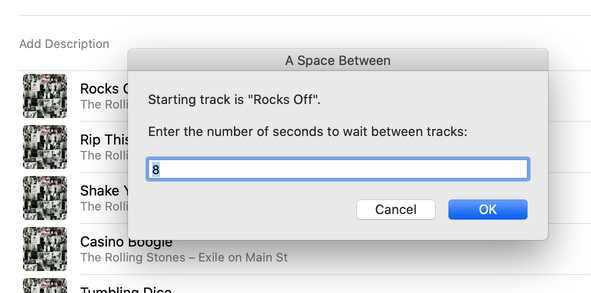
This applet plays each track in the selected iTunes playlist for a chosen time interval starting at a chosen number of seconds into each track, beginning with the selected track (if no track is selected then playing will start from the beginning of the selected playlist). Handy for quickly perusing a playlist.
- Latest version:
- runs as universal binary
- quits (shortly) after iTunes is paused
- prevents error and quits properly when first dialog is canceled
- Info:
- build type: Universal Binary
- written by Doug Adams
- latest version posted: April 29, 2008
- latest version downloads: 11018 | total downloads: 23842
- zip download size: 119.2K
Now Where Was I? v1.0
Use this applet to start and quit iTunes: when run while iTunes is playing, it will remember the currently playing track and quit iTunes; when run next it will start iTunes and play the remembered track.
- Info:
- build type: Universal Binary
- written by Doug Adams
- posted: March 31, 2008
- total downloads: 951
- zip download size: 110.4K
Play Hourly Newscasts v1.2
These four script applets will each, respectively, download and play the latest AP NewsPulse, BBC Hourly World News Bulletin, CNN News Update, or NPR Hourly News Summary podcast episode when it becomes available enabling you to integrate an hourly newscast into your iTunes music listening throughout the day.
Update: BBC Hourly News Bulletin is no longer available as a podcast (I believe).
- Info:
- build type: Plain AppleScript
- written by Doug Adams
- latest version posted: July 30, 2007
- total downloads: 1207
- zip download size: 429.7K
Nudge Stream URL
This stay-open script will attempt to keep the current stream playing. If it drops out, or is otherwise stopped, or some other track is selected, the script re-opens the stream.
- Info:
- build type: Plain AppleScript
- written by Doug Adams
- posted: June 20, 2007
- total downloads: 431
- zip download size: 150.1K